Bluesky Feed Creation
Hello, everyone! I’ve had a few people ask me how I handle feeds in Bluesky so I figured I’d create a short tutorial for how to get going without having any coding knowledge or wanting to learn how to train classification models with machine learning! Some back story first, though, because I love to info dump.
Bluesky is an opensource social media platform that runs using the AT Protocol. It’s really awesome for us tech folks because we can dig into it and create our own bluesky servers to link into the network and make tailor our own feeds to fit what we want to see. Bluesky doesn’t actually have a social media algorithm!
Instead, they provide a firehose of all the posts on the website and leave it up to the end users to filter these posts. In order to filter them, you need to have a server that receives the feed and then manipulates it to output exactly what you want. Bluesky themselves provide some of these feeds, such as ‘Discover’, ‘Popular with Friends’, ‘What’s Hot’, etc. End users provide the vast majority of feeds, however, usually tailored to a specific audience. There are also some free third-party websites that have created easy to use Feed Generators that then run off of their servers for you, and that’s the focus of this post!
For the purposes of this tutorial, we will use https://skyfeed.app, a popular provider of feed generation.
The Skyfeed.app main page:
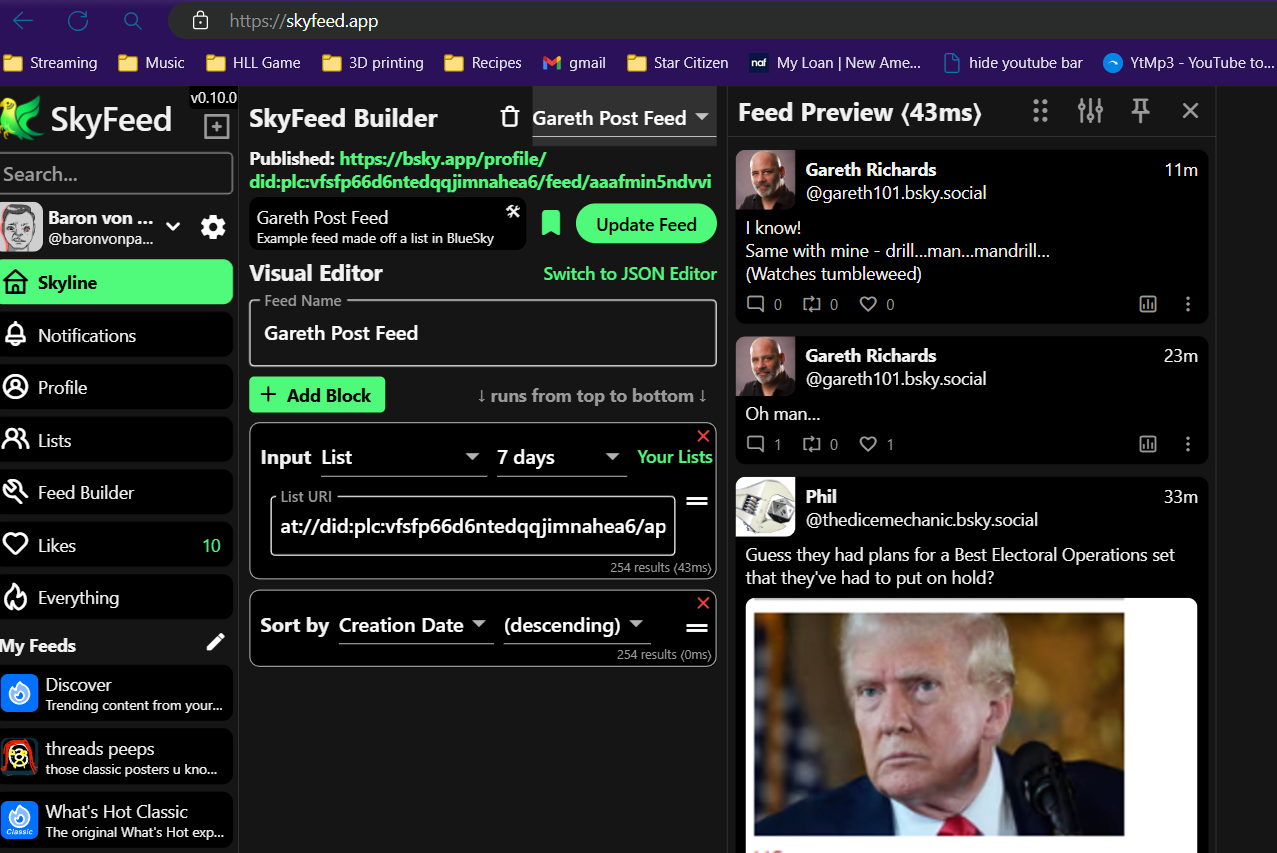
- The leftmost frame is basically a view into your bluesky account. You can actually use Skyfeed to just browse Bluesky like a regular client.
- The middle feed is the breakdown of the tab you selected on the left. We have Skyfeed builder selected, so you can see the options for feed building there.
- The far right is a preview of your Feed and how it would look once it was completed with the choices you selected.
Create an App Password
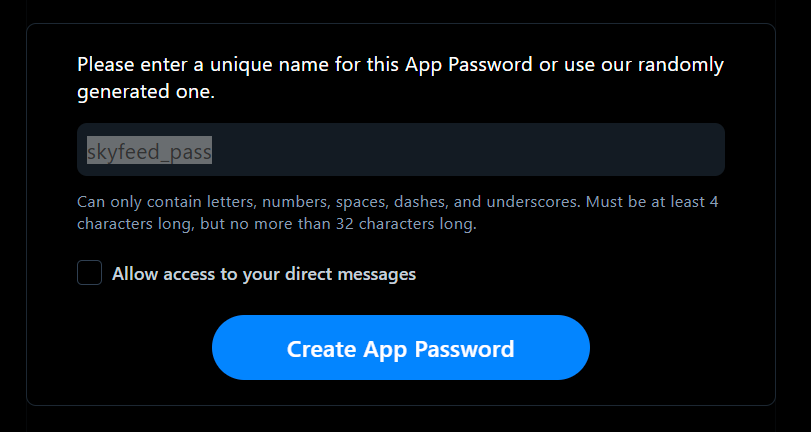
- From Bluesky you'll want to go to the Settings page and scroll to the bottom.
- Once you make the password, take note of it securely because it won't be displayed again.
Skyfeed visual Editor
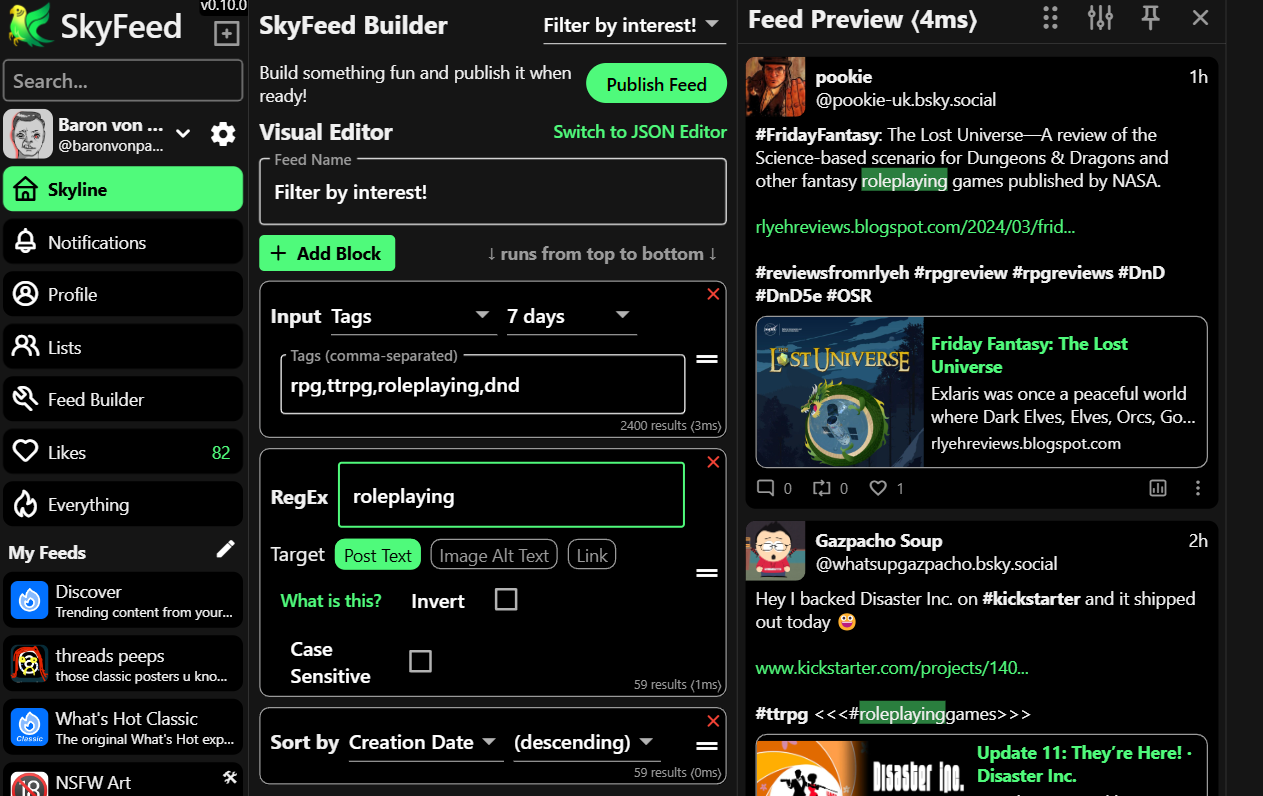
- Back at skyfeed.app, you'll want to add and remove blocks using the Add Block button and the red X's until it matches something similar to what I have in the image.
- The first block is Input. It allows you to pick a certain type of Bluesky component to filter on. I have selected Tags here, which are essentially just hashtags. You can pick the full feed, tags, usernames, lists, etc.
- The next block is RegEx. Regular expressions are a powerful tool for filtering text. They have a specific, and quite complicated syntax, but there are plenty of guides for creating regular expressions. I prefer https://regex101.com. My example is the most simple regex imaginable. It's just looking for the word "roleplaying". A more complicated example would be '/(tabletop\s)?roleplaying(\sgame)?'. This example will search for anything with tabletop, roleplaying, or game in that order. so it'll match roleplaying, tabletop roleplaying, roleplaying game, etc.
- Once you have everything like you want it, hit publish!
- That's it! when you go back to Bluesky, your feed will be available!
